


Spocket + Shopify Dropshipping Automation
Learn how to automate dropshipping with Spocket and Shopify: source products, import listings, streamline fulfillment, and launch faster.
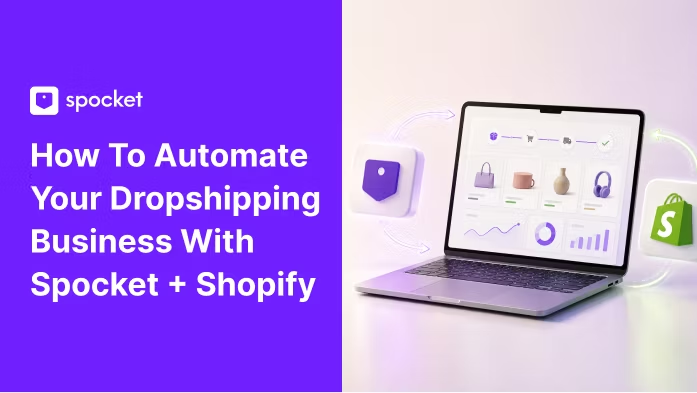
.avif)

Running a dropshipping store sounds simple until the daily work starts piling up: finding products, checking suppliers, editing listings, handling orders, updating customers, and trying to market the store at the same time. That is why many Shopify merchants look for a cleaner way to automate dropshipping with Spocket and Shopify without giving up control over their brand.
Spocket connects your Shopify store with dropshipping suppliers so you can source products, import listings, and streamline order processing from one workflow. The real benefit is not that automation replaces strategy. It removes repetitive admin so you can spend more time choosing better products, improving your store, and acquiring customers.
In this guide, you will learn how to use the Spocket Shopify integration to automate product sourcing, product imports, pricing, and fulfillment while building a store that feels trustworthy enough for customers to buy from again.
.avif)
Why Automate Shopify Dropshipping with Spocket?
Automation is most useful when it shortens the path between product research, store publishing, and order fulfillment. With Spocket and Shopify, the goal is to build a repeatable operating system for your store instead of rebuilding the same manual process every time you add a product or receive an order.
What Automation Changes in Your Daily Workflow?
Instead of manually copying product details from supplier websites, uploading images one by one, and tracking each order in separate tools, you can use Spocket to discover products, import them into Shopify, and manage fulfillment in a more centralized flow. Shopify remains your storefront and commerce engine, while Spocket supports sourcing and supplier-side fulfillment tasks.
What Still Needs Your Judgment?
Automation does not choose your niche, write your brand positioning, or guarantee a winning product. You still need to review supplier quality, delivery expectations, return policies, product margins, and customer messaging. The best stores use automation to move faster, then use human judgment to decide what deserves to be sold.
How to Automate Dropshipping With Spocket and Shopify
With Spocket and Shopify, dropshipping automation becomes easier because you can streamline product importing, inventory updates, order processing, and supplier management from one connected workflow.
Step 1: Connect Spocket to Your Shopify Store
The first step is connecting the two platforms so your Shopify store and Spocket account can work together. Spocket's help center outlines two setup paths: connect from your Spocket account or install the Spocket app from Shopify.
Option 1: Connect from Spocket
If you already have a Spocket account, log in, go to the store connection area, choose Shopify, and enter your Shopify store URL. This is usually the cleanest path if your subscription, product research, or saved products already live inside Spocket.
Option 2: Install Spocket from the Shopify App Store
If you are starting inside Shopify, open the Shopify App Store, find Spocket, click install, and approve the requested permissions. After installation, you will be redirected into the Spocket dashboard so you can begin browsing products and setting up your store workflow.
Step 2: Source Products from Suppliers That Fit Your Niche
Once your store is connected, product sourcing becomes the heart of your automation workflow. The faster you can compare supplier options, shipping expectations, product fit, and margins, the easier it is to build a catalog without guessing.
Use Supplier Location and Shipping Speed as Filters
Spocket emphasizes access to US, EU, and global suppliers, which matters because shipping speed can directly affect conversion rates, support tickets, refund requests, and repeat purchases. If your target customers are in the United States or Europe, start by looking for products with supplier locations and delivery windows that match those markets.
Validate Products Before You Import Them
A product is not worth importing just because it looks popular. Check the product images, description quality, available variants, supplier details, product cost, suggested retail price, shipping cost, and expected margin. For higher-risk products, order a sample before scaling ads or email campaigns.
Step 3: Import and Optimize Listings Before Publishing
One of the biggest time-savers in Shopify dropshipping automation is importing product data into your store instead of creating every listing from scratch. Still, the highest-converting stores do not publish supplier copy untouched.
Rewrite Product Titles for Search and Clarity
Supplier titles are often built for catalog management, not customer search. Rewrite them around buyer intent. For example, a plain title like 'Portable Blender 350ML' can become 'Portable USB Blender for Smoothies and Travel.' This keeps the keyword clear while making the benefit easier to understand.
Improve Descriptions, Images, and Pricing
Before publishing, edit the product description so it answers customer questions: what the product is, who it is for, how it solves a problem, what comes in the package, and what shipping expectations apply. Review images for consistency, remove duplicates, set variants clearly, and price the product with enough room for product cost, shipping, transaction fees, returns, discounts, and paid marketing.
Step 4: Automate Order Fulfillment Without Losing Control
Order fulfillment is where dropshipping automation becomes most visible. Shopify explains that dropshipping suppliers fulfill orders directly to customers, while fulfillment apps can sync with the Shopify admin so order updates progress through the store workflow.
What Happens After a Customer Places an Order
When a customer buys a Spocket product from your Shopify store, your job is to make sure the order moves into the correct fulfillment workflow, the customer receives clear updates, and any tracking information is handled consistently. Depending on your setup and plan, Spocket can help streamline order processing and supplier fulfillment so you are not manually rebuilding the order each time.
Keep a Manual Review Layer for Better Customer Experience
Do not treat automation as a reason to stop checking orders. Build a quick daily review for payment issues, address errors, out-of-stock products, fraud warnings, supplier delays, and customer messages. The best automation keeps the process moving, while your review layer protects the customer relationship.
Step 5: Build a Repeatable Growth Workflow
After setup, the next goal is turning Spocket and Shopify into a repeatable growth loop: test products, keep the winners, remove weak performers, and keep improving the store experience. This is where automation starts supporting revenue, not just saving time.
Use Product Testing as a Weekly Habit
Choose a small batch of products to test each week. Look for clear demand signals, decent margin, strong visuals, manageable shipping times, and a clean customer promise. Add products in focused collections instead of flooding your store with unrelated items. A tighter catalog is easier to market and easier for customers to trust.
Strengthen the Brand Around the Product
Spocket's Shopify App Store listing highlights features such as branded invoicing and supplier communication. Use those brand-building tools where available, then support them with better product pages, transparent shipping copy, post-purchase emails, and clear return instructions. Customers may never see your supplier, but they will remember your store experience.
.avif)
Shopify Dropshipping Automation Checklist
Use this checklist as a practical launch and maintenance guide. It keeps the workflow simple enough for beginners while covering the controls that matter once orders start coming in.
Before Launch
- Connect Spocket to Shopify and confirm the store connection works.
- Choose a focused niche or collection instead of importing random products.
- Review supplier location, product cost, shipping estimate, and product variants.
- Rewrite product titles and descriptions for buyer intent.
- Set pricing with enough margin for ads, discounts, returns, and fees.
- Place a test order or sample order for products you plan to promote heavily.
- Create shipping, return, privacy, and contact pages before sending traffic.
Every Week
- Review new orders, delayed shipments, and tracking updates.
- Remove products with poor margins, weak engagement, or supplier issues.
- Add a small number of new products based on niche demand.
- Improve pages that get traffic but do not convert.
- Check customer questions and add answers to product pages or FAQs.
- Test one new offer, bundle, email flow, or paid traffic angle.
Common Mistakes to Avoid When Automating Dropshipping
Most automation mistakes come from moving too fast without quality control. A dropshipping automation app can save hours, but it cannot repair a confusing store, weak offer, or poor product selection on its own.
Importing Too Many Products at Once
A huge catalog can look impressive in the dashboard but messy to shoppers. Start with a focused collection, improve those listings, and expand only when you understand which products and messages are converting.
Ignoring Shipping and Returns
Customers care about delivery dates and easy support. Before promoting a product, confirm shipping expectations and supplier return policies. Put realistic shipping language on product pages so customers do not feel misled after checkout.
Using Supplier Copy Without Editing
Duplicate supplier descriptions can hurt trust and make your store look generic. Rewrite copy in your brand voice, add benefit-led bullets, answer objections, and make the call to action clear. Better product pages give your automation a better chance to produce sales.
Is Spocket + Shopify Right for Your Store?
Spocket and Shopify are a strong fit for entrepreneurs who want to launch a dropshipping store without handling inventory, while still building a branded storefront and choosing products intentionally.
Best Fit
- New Shopify merchants who want a guided supplier marketplace.
- Store owners who want access to US, EU, and global supplier options.
- Brands that want faster product testing without manually creating every listing.
- Operators who want to spend less time on repetitive fulfillment tasks.
When to Review Your Setup
Review your setup if your store needs highly customized packaging, unusual shipping rules, complex wholesale operations, or total control over warehouse operations. In those cases, you may still use Spocket for product testing, but you should compare it with third-party logistics, private label suppliers, or hybrid fulfillment.
Conclusion: Start Automating Your Dropshipping Store with Spocket
The easiest way to learn dropshipping automation is to connect the tools and walk through the workflow yourself. Start with a small product set, use Spocket to source and import products, publish polished Shopify listings, and build a simple review process for every order.
If you want to automate Shopify dropshipping with Spocket, start by connecting your store and exploring products that match your niche. A focused catalog, clear product pages, and streamlined fulfillment can help you launch faster while keeping the customer experience at the center of the business.
Start dropshipping on Shopify with Spocket today and build your first automated product workflow.
Start your dropshipping business today
Spocket + Shopify Dropshipping Automation FAQs
Can I automate order fulfillment with Spocket on Shopify?
Yes. Spocket is built to help Shopify dropshippers streamline order processing and supplier fulfillment. You should still review orders regularly for payment issues, address problems, supplier delays, and customer service requests.
How do I connect Spocket with Shopify?
You can connect from your Spocket account by selecting Shopify and entering your store URL, or you can install the Spocket app from the Shopify App Store and approve the permissions during setup.
Can I import Spocket products into Shopify?
Yes. After connecting Spocket and Shopify, you can browse products in Spocket, review supplier details, customize product information, and add selected listings to your Shopify store.
Is the Spocket Shopify integration free?
Spocket promotes a free-start option and also offers paid plans for broader product access and additional features. Check the current pricing page before publishing plan-specific claims.
Does Spocket offer fast shipping for Shopify dropshipping?
Spocket emphasizes US and EU supplier access and fast-shipping product options. Shipping speed still depends on the product, supplier, customer location, and shipping method, so check each listing before promotion.
What products can I dropship with Spocket and Shopify?
You can source categories such as apparel, accessories, beauty, home goods, pet products, print-on-demand items, and other niche products depending on supplier availability.
Is Shopify dropshipping profitable with Spocket?
It can be, but profitability depends on product selection, pricing, supplier costs, shipping costs, ad costs, conversion rate, and customer retention. Automation can reduce admin time, but it does not replace product research or marketing strategy.
What should I do before promoting a Spocket product?
Review supplier details, shipping estimates, product images, variants, return policy, margins, and customer demand. For priority products, order a sample so you know what buyers will receive.


Launch your dropshipping business now!
Start free trial


Related blogs
Dropshipping Supplier Directory: Where to Find Vetted Suppliers
Browse our directory of vetted dropshipping suppliers across the US and EU, complete with niches, shipping speed, and pricing. Start your free trial today.

How to Negotiate With Dropshipping Suppliers: 9 Tactics That Actually Work
Learn how to negotiate with dropshipping suppliers on price, MOQs, and payment terms. Proven tactics and email scripts to boost your margins. Try Spocket free.

Best Clothing Dropshipping Suppliers: The 2026 Guide
Compare the best clothing dropshipping suppliers for 2026 — US/EU shipping speeds, pricing, and product quality — and find the right fit to launch your store.
