


How to Take Your Offline Store Online
Turn your physical store into an online business with a practical guide to ecommerce setup, product listings, payments, shipping, and sales growth.
.avif)

Running a physical store has its advantages—local trust, personal relationships, and a steady stream of walk-in customers. But today, relying only on offline sales can limit your growth.
Customers are no longer just shopping in stores. They are browsing online, comparing prices, reading reviews, and expecting convenience. In fact, billions of people now shop online globally, making ecommerce one of the fastest-growing business models.
This shift has created a huge opportunity.
Taking your offline store online doesn’t mean replacing your physical business—it means expanding it. It allows you to reach more customers, sell 24/7, and build a scalable revenue stream beyond your local area.
In this guide, you’ll learn exactly how to move your offline store online step by step, without getting overwhelmed.
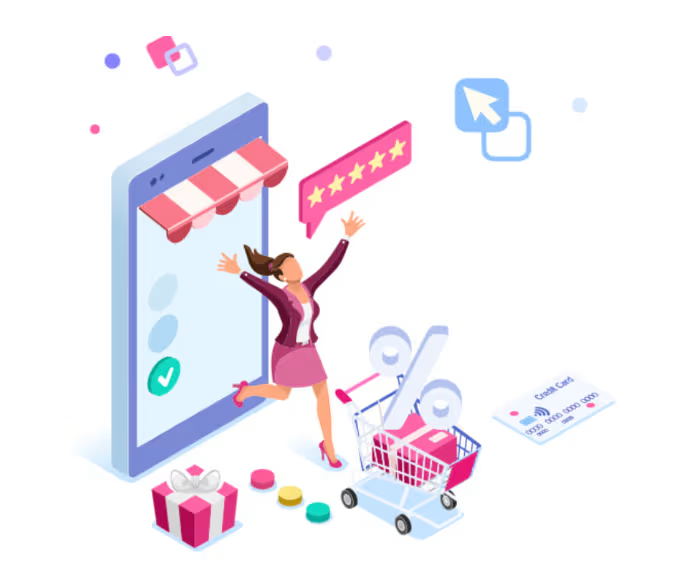
Why You Should Take Your Offline Store Online
Before jumping into the process, it’s important to understand why going online matters. Moving your business online helps you:
- Reach customers beyond your local area
- Sell products 24/7, even when your store is closed
- Reduce dependency on foot traffic
- Track customer behavior and sales performance
Online selling also allows businesses to scale faster and operate more efficiently compared to traditional retail models.
Understanding the Shift from Offline to Online
Moving from an offline store to an online business is more than just changing where you sell—it requires a shift in how you operate, market, and serve customers. Unlike physical retail, online selling depends on visibility, user experience, and efficient systems rather than location. Understanding this transition helps you adapt your strategies, avoid common mistakes, and build a smoother path toward digital growth.
Key differences between offline and online selling
- Offline relies on foot traffic, online relies on visibility
- Offline is limited by location, online is global
- Offline sales happen in person, online sales happen digitally
You need to adapt your approach, especially in:
- Marketing
- Customer experience
- Order fulfillment
- Inventory management
Once you understand this shift, the transition becomes much smoother.
Step-by-Step: How to Take Your Offline Store Online
Taking your offline store online may seem overwhelming, but breaking it down into clear, actionable steps makes the process much more manageable. From choosing the right platform to setting up products, payments, and logistics, each stage plays a crucial role in building a successful online presence.
Following a structured approach ensures a smoother transition and sets a strong foundation for long-term growth.
Step 1: Define Your Goals and Strategy
Before setting up anything, decide why you’re going online. Ask yourself:
- Do you want to increase sales?
- Expand to new locations?
- Build a brand online?
Your goal will shape your strategy, platform, and marketing approach.
Step 2: Understand Your Target Audience
Your online audience may be different from your offline customers. You need to identify:
- Who your customers are
- Where they spend time online
- What they are searching for
Understanding your audience helps you design your store and marketing effectively.
Step 3: Choose the Right Ecommerce Platform
Your ecommerce platform is the foundation of your online business. Popular options include:
A good platform should offer:
- Easy setup
- Payment integration
- Inventory management
- Order tracking
It acts as the control center for your entire online store.
Step 4: Set Up Your Online Store
Now it’s time to build your store. This includes:
- Choosing a domain name
- Designing your website
- Setting up product categories
Your store should be:
- Easy to navigate
- Mobile-friendly
- Visually appealing
A smooth user experience increases conversions.
Step 5: Add Your Products Online
Your product listings are your digital storefront. Make sure to include:
- High-quality images
- Clear descriptions
- Pricing details
- Product variants
Online customers rely heavily on visuals and descriptions to make decisions.
Step 6: Set Up Payments and Checkout
You need to make it easy for customers to pay. Include options like:
- Credit/debit cards
- UPI
- Digital wallets
A simple and secure checkout process improves conversions.
Step 7: Manage Inventory Efficiently
Inventory management becomes more complex online. You need to track:
- Stock levels
- Product availability
- Order fulfillment
Without proper systems, you risk overselling or stockouts.
Step 8: Plan Shipping and Delivery
Shipping is a critical part of the online experience. You need to decide:
- Delivery timelines
- Shipping costs
- Logistics partners
Customers expect fast and reliable delivery.
Step 9: Promote Your Online Store
Launching your store is just the beginning. You need to drive traffic using:
- Social media marketing
- SEO
- Paid ads
- Email marketing
Online visibility determines your success.
Step 10: Sync Offline and Online Operations
Your offline and online stores should work together. This includes:
- Unified inventory
- Consistent pricing
- Seamless customer experience
An omnichannel approach helps you maximize sales.
Common Challenges When Moving Online
Taking an offline store online opens up new growth opportunities, but it also brings a different set of operational and strategic challenges. From adapting to digital tools to meeting higher customer expectations, the transition can feel unfamiliar at first. Understanding these common roadblocks makes it easier to prepare for them and build a more confident, sustainable move into ecommerce.
Lack of technical knowledge
Many offline business owners are experts at selling in person but may feel unsure when it comes to websites, payment systems, and digital tools. Tasks like setting up an online store, managing plugins, or understanding analytics can seem overwhelming in the beginning.
This knowledge gap can slow down the transition and create hesitation, especially for businesses that have never operated online before.
Inventory management issues
Managing inventory becomes more complex when you start selling through both offline and online channels. If stock levels are not updated accurately, you may end up overselling products online or running out of items in-store without realizing it.
This can lead to order cancellations, customer frustration, and a less reliable shopping experience across both channels.
Increased competition
Unlike an offline store that mainly competes within a local market, an online store enters a much larger and more crowded space. Customers can easily compare your products, prices, shipping times, and reviews with many other brands in just a few clicks.
This makes it more important to stand out through better branding, product selection, user experience, and customer service.
Customer expectations
Online shoppers expect convenience, speed, and transparency at every stage of the buying journey. They want easy navigation, secure payments, quick delivery, and timely updates about their orders.
If your store does not meet these expectations, customers are more likely to leave without buying or choose a competitor instead.
How to Overcome These Challenges
The good news is that most of the challenges of moving online can be managed with the right approach and tools. You do not need to solve everything at once or build a perfect system from day one. By taking practical steps and focusing on simplicity, efficiency, and customer experience, you can make the transition smoother and more sustainable.
Start simple
You do not need to launch with every feature, product, or automation in place. Starting with the essentials allows you to get your store live faster and learn what works before investing more time and money into expansion.
A simple and functional online store is far more effective than a complicated setup that delays your launch or becomes difficult to manage.
Use user-friendly platforms
Modern ecommerce platforms are designed to help beginners launch and manage stores without advanced technical skills. They offer ready-made templates, built-in payment options, and easy product management tools that simplify the setup process.
Using a beginner-friendly platform reduces the learning curve and helps you focus more on selling rather than struggling with technical tasks.
Automate operations
Automation can take care of repetitive tasks like inventory syncing, order updates, and customer notifications, which saves time and reduces manual errors. This becomes especially important as your store starts receiving more orders across different channels.
By automating routine processes, you can run your business more efficiently and focus on growth, marketing, and customer relationships.
Focus on customer experience
A strong customer experience can help you stand out even in a competitive online market. This includes having a clear website layout, smooth checkout process, transparent policies, and responsive support.
When customers find your store easy to use and trustworthy, they are more likely to buy, return, and recommend your business to others.
How Dropshipping Makes Going Online Easier
One of the biggest challenges of going online is managing inventory and logistics. This is where dropshipping becomes useful.
What is dropshipping?
Dropshipping allows you to sell products without holding inventory. Instead:
- You list products online
- Customers place orders
- Suppliers handle shipping
Benefits for offline store owners
- No need to stock products
- Lower upfront investment
- Easier to scale
This makes it ideal for businesses transitioning online.
Spocket helps make the move from offline to online much smoother by simplifying product sourcing and fulfillment in one place. It gives you access to reliable suppliers, faster shipping, automated order processing, and real-time inventory updates that reduce manual work and stock issues. With easy integration into platforms like Shopify, Spocket helps you launch faster and manage your online store more efficiently.
Best Practices for Taking Your Store Online
Taking your store online successfully is not just about launching a website—it’s about creating an experience that makes customers want to browse, trust, and buy from you. The best results come from getting the fundamentals right, from usability and mobile optimization to trust signals and performance tracking. When these elements work together, your online store becomes much easier to grow and manage.
Focus on user experience
A good user experience makes it easy for customers to find products, understand information, and complete their purchase without frustration. If your website feels cluttered, slow, or confusing, visitors are far more likely to leave before buying.
Keeping your store simple, fast, and easy to navigate helps reduce friction and increases the chances of conversion. Clear menus, smooth checkout, and organized product pages all contribute to a better shopping experience.
Optimize for mobile
A large share of online shoppers browse and buy from their phones, which makes mobile optimization essential rather than optional. If your site does not load well or display properly on smaller screens, you risk losing a significant number of potential customers.
A mobile-friendly store should have responsive design, fast loading pages, readable text, and easy-to-click buttons. The smoother the mobile experience, the better your chances of turning traffic into sales.
Build trust
When customers shop online, they cannot see your store in person or interact with you face to face, so trust becomes one of the biggest deciding factors. Elements like customer reviews, clear return and shipping policies, and secure payment options help reassure them that your store is reliable.
The more confident customers feel while shopping, the more likely they are to complete a purchase. Trust signals also reduce hesitation, especially for first-time buyers who are not familiar with your brand.
Use data to improve
One of the biggest advantages of selling online is that you can track how customers interact with your store. Data helps you understand what products perform well, where users drop off, and which marketing channels bring the best traffic.
By regularly reviewing insights like conversion rates, bounce rates, and sales trends, you can make smarter decisions and keep improving your store over time. This helps you grow more strategically instead of relying on guesswork.
Mistakes to Avoid When Going Online
Moving online creates exciting opportunities, but it also comes with mistakes that can slow your progress or hurt sales early on. Many businesses struggle not because the idea is wrong, but because they rush the process or overlook key parts of the customer journey. Knowing what to avoid can save time, money, and unnecessary frustration as you build your online presence.
Trying to do everything at once
It’s easy to feel like your online store needs every feature, every product, and every marketing channel right from the start. But trying to launch everything at once often leads to confusion, delays, and an experience that feels unpolished.
Starting small allows you to build a stronger foundation and improve gradually. It’s often better to launch with the essentials, learn what works, and then scale based on real customer behavior.
Ignoring marketing
Launching an online store does not automatically bring visitors. Without marketing, even the best-designed website can sit unnoticed and fail to generate sales.
You need a plan to drive traffic through channels like SEO, social media, paid ads, or email marketing. Consistent visibility is what turns your online store from a setup into a revenue-generating business.
Poor product presentation
In an online store, customers rely entirely on what they can see and read to decide whether to buy. Low-quality images, vague descriptions, or poorly organized product pages make your business look less trustworthy and reduce conversion potential.
Strong product presentation helps customers understand the value of what you’re selling. Clear visuals and detailed descriptions can significantly improve confidence and purchase intent.
Not setting clear expectations
Online shoppers want to know exactly what to expect before they place an order. If shipping timelines, return policies, or delivery terms are unclear, customers may feel uncertain or disappointed later.
Setting clear expectations upfront helps reduce confusion, support requests, and refund disputes. Transparency builds trust and creates a better overall shopping experience.
Future of Offline to Online Transition
The way businesses move from offline to online is continuing to evolve, and the future will be shaped by convenience, speed, and connected customer experiences. Retail is no longer split into separate physical and digital worlds—customers now expect brands to serve them seamlessly across both. Businesses that adapt to this shift will be better positioned to compete and grow.
Omnichannel retail
The future of retail is increasingly omnichannel, where online and offline experiences work together instead of operating separately. Customers may discover a product online, visit a physical store to see it, and later buy it through your website—or the other way around.
This means businesses need consistency across inventory, pricing, branding, and customer service. A connected experience makes shopping more convenient and strengthens customer trust in your brand.
Automation and AI
As businesses grow, manual processes become harder to sustain, which is why automation and AI will play a larger role in retail operations. These tools can help with inventory updates, order processing, customer communication, and even personalized marketing.
Automation improves efficiency, while AI helps businesses make smarter decisions based on customer behavior and sales data. Together, they make it easier to scale without increasing complexity.
Faster delivery expectations
Customers increasingly expect quick and reliable delivery, and this will continue to shape the future of online retail. Slow shipping can now be a major reason customers abandon carts or choose competitors, especially when they have many options.
Businesses will need to improve fulfillment systems, partner with better suppliers, and optimize logistics to stay competitive. In the future, delivery speed will not just be a bonus—it will be a major deciding factor for many buyers.
Conclusion
Taking your offline store online is no longer optional—it’s essential for growth. It allows you to:
- Reach more customers
- Increase revenue
- Build a scalable business
The process may seem overwhelming at first, but when broken down into steps, it becomes manageable. Start with the basics, build your store, and gradually improve.
With the right tools and systems in place, your offline store can successfully evolve into a thriving online business. And with platforms like Spocket, you can simplify product sourcing and fulfillment, making your transition faster and more efficient.
Start your dropshipping business today
FAQs About Taking Your Offline Store Online
How do I start taking my offline store online?
Start by choosing an ecommerce platform, setting up your online store, and listing your products with clear descriptions and images. Then, integrate payment methods and shipping options to make your store functional. Once live, focus on marketing and driving traffic to attract customers.
Do I need technical skills to take my business online?
No, most modern ecommerce platforms are designed for beginners and require little to no coding knowledge. With drag-and-drop builders and ready-made templates, you can set up your store easily. However, basic understanding or guidance can help you optimize your store better.
How much does it cost to move a physical store online?
The cost can vary depending on the platform, tools, and marketing budget you choose. You may need to pay for a domain, hosting or platform subscription, and optional apps. However, many platforms offer affordable plans, making it accessible even for small businesses.
Can I run my offline and online store at the same time?
Yes, many businesses successfully operate both offline and online stores together. This approach, known as omnichannel retail, helps you reach more customers and increase sales. It also allows you to provide a seamless shopping experience across both channels.
How can I manage inventory across offline and online stores?
You can use inventory management tools or ecommerce platforms that sync stock levels in real time. This helps prevent overselling and ensures accurate product availability. Automation tools can further simplify this process by updating inventory across all channels instantly.


Launch your dropshipping business now!
Start free trial


Related blogs
Dropshipping Supplier Directory: Where to Find Vetted Suppliers
Browse our directory of vetted dropshipping suppliers across the US and EU, complete with niches, shipping speed, and pricing. Start your free trial today.

How to Negotiate With Dropshipping Suppliers: 9 Tactics That Actually Work
Learn how to negotiate with dropshipping suppliers on price, MOQs, and payment terms. Proven tactics and email scripts to boost your margins. Try Spocket free.

Best Clothing Dropshipping Suppliers: The 2026 Guide
Compare the best clothing dropshipping suppliers for 2026 — US/EU shipping speeds, pricing, and product quality — and find the right fit to launch your store.
