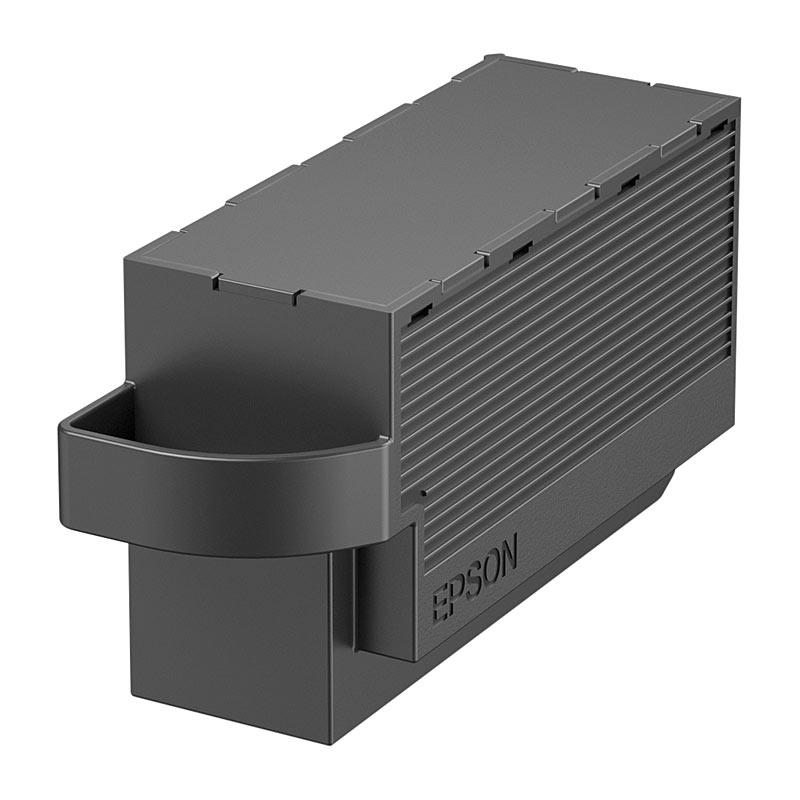
Dropship EPSON T366100 Maintenance Box
100.0% of buyers have recommended this.
Genuine EPSON maintenance box
Compatible with multiple printers
Ensures high-quality prints
Easy installation process
Maximizes printer lifespan
Product description
The EPSON T366100 Maintenance Box is an essential component for maintaining the performance and longevity of your EPSON printers. Designed specifically for use with a range of EPSON Expression Photo models, this maintenance box ensures that your printer operates at its best, delivering high-quality prints every time. With the T366100, you can expect reliable performance and consistent results, making it a must-have for any serious photographer or home office.
Compatibility with EPSON Printers
This maintenance box is compatible with several EPSON Expression Photo printers, including:
- EPSON Expression Photo XP 8500
- EPSON Expression Photo HD XP 15000
- EPSON Expression Photo XP 8600
- EPSON Expression Photo XP 6000
- EPSON Expression Photo XP 6100
By using the EPSON T366100 Maintenance Box, you ensure that your printer remains in optimal condition, allowing you to produce stunning photographs and documents without interruption.
Benefits of Using Genuine EPSON Products
When it comes to printer maintenance, using genuine EPSON products like the T366100 Maintenance Box is crucial. Genuine products are designed to meet the specific requirements of your printer, ensuring compatibility and reliability. Here are some benefits of using the EPSON T366100:
- High-quality materials that enhance performance
- Designed to prevent clogs and maintain print quality
- Easy to install, saving you time and effort
- Backed by EPSON's quality assurance
How to Install the EPSON T366100 Maintenance Box
Installing the EPSON T366100 Maintenance Box is a straightforward process. Follow these simple steps:
- Turn off your printer and unplug it from the power source.
- Open the printer cover to access the maintenance box compartment.
- Remove the old maintenance box by gently pulling it out.
- Unpack the new T366100 Maintenance Box and insert it into the compartment until it clicks into place.
- Close the printer cover and plug the printer back in.
- Turn on the printer and check for any error messages.
By following these steps, you can ensure that your printer is ready to deliver exceptional print quality.
Maintaining Your Printer's Performance
Regular maintenance is key to keeping your EPSON printer in top shape. The T366100 Maintenance Box plays a vital role in this process by collecting excess ink and preventing it from clogging the print head. This not only helps maintain print quality but also extends the life of your printer.
In addition to using the maintenance box, consider the following tips for maintaining your printer:
- Regularly clean the print head to prevent clogs.
- Use high-quality paper to avoid jams and smudging.
- Keep your printer in a dust-free environment.
- Perform regular software updates to ensure optimal performance.
By taking these steps, you can maximize the efficiency and lifespan of your EPSON printer.
Conclusion
Investing in the EPSON T366100 Maintenance Box is a smart choice for anyone who values quality and reliability in their printing. With its compatibility with various EPSON Expression Photo models and its role in maintaining printer performance, this maintenance box is an essential accessory for your printing needs.
Get started