


Is Plaid Safe? Understanding How Plaid Protects Your Banking Data
Plaid is a fintech service that securely connects your bank to various apps. Is Plaid safe? We’ll answer that today and tell you how Plaid protects your banking data.


When you link your bank account to apps like Venmo, Robinhood, or Mint, you're likely using Plaid—a platform that acts as a secure bridge between your financial accounts and third-party apps. But is Plaid safe? The short answer is yes: Plaid is a legitimate, widely-used service trusted by over 8,000 apps and 12,000 financial institutions globally. It uses advanced encryption, multi-factor authentication, and read-only access to protect your data. However, like any financial service, it's not without drawbacks.
This guide covers what Plaid is, how it secures your banking data, potential risks, and practical steps to use it safely.
What is Plaid?
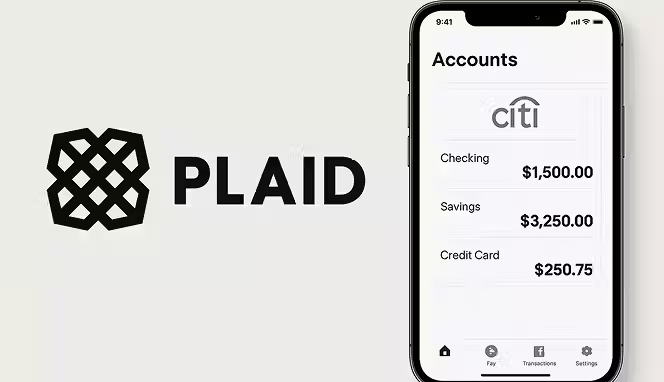
Plaid is a fintech service that connects your bank account to third-party apps and websites without exposing your login credentials directly to those apps. Instead of sharing your banking password with Venmo, Chime, Acorns, or other services, you share it with Plaid, which verifies your identity and shares only the information those apps need—like your account balance or transaction history.
This matters because there are over 11,000 financial institutions in the U.S., all structured differently. Without an intermediary like Plaid, every app would need its own direct connection to each bank, making integration impractical and creating numerous security risks. Plaid solves this by building a single connection layer between apps and banks.
Around half of U.S. adults have used Plaid through various apps, often without realizing it. The service is free for consumers—the apps you use pay Plaid a fee for the connection.
Types of Banking Services Offered by Plaid
Plaid facilitates various financial transactions and connections depending on which app you're using:
- Peer-to-peer payments: Services like Venmo and PayPal use Plaid to verify your bank account and authorize transfers.
- Investment platforms: Robinhood, SoFi, and other investment apps use Plaid to confirm funds and link trading accounts.
- Budgeting and money management: Apps such as Mint, NerdWallet, and Rocket Money use Plaid to sync your transactions and give you a complete financial picture.
- Loan applications: Lenders use Plaid to verify income and check for sufficient funds without processing official employment documents.
- Account aggregation: Services that consolidate multiple financial accounts into one dashboard rely on Plaid to pull data from different banks.
- Cash advance apps: Emergency lending platforms use Plaid to evaluate creditworthiness based on your banking history.
All of these services work through the same underlying mechanism: Plaid connects your account, verifies your information, and shares approved data with the app.
How Plaid Works
Using Plaid requires no separate app or account creation. You encounter it within the apps you're already using. Here's the step-by-step process:
Step 1: You're Directed to Plaid
When you open a supported app and want to link your bank, you're taken to Plaid's secure connection portal. You don't need to log into a Plaid account.
Step 2: You Select Your Bank
You search for or select your financial institution from Plaid's list of over 10,000 supported banks and credit unions.
Step 3: You Log Into Your Bank
You're redirected to your bank's official login page (or your bank's page through Plaid's connection). You enter your username and password directly—you never give these credentials to the app you're trying to use.
Step 4: You Set Up Authentication
Your bank may require multi-factor authentication—like a code sent to your phone or email—to verify it's really you.
Step 5: Plaid Verifies and Shares Data
Plaid confirms your identity and account details. A screen then shows you exactly what information you're agreeing to share with the app. This typically includes account transactions, balances, and basic account information (like routing numbers), but not your login credentials.
Step 6: You Authorize the Connection
You review what's being shared and confirm. Plaid then sends only that approved data to the app—nothing more.
Step 7: The Connection is Complete
You're returned to the app with your account successfully linked. The app can now access the information Plaid has authorized for as long as you maintain the connection.
How Good is Plaid's Banking Security?
Plaid has built its entire business around security, which is why it's trusted by major financial institutions and apps. The company employs several layers of protection:
Encryption
Plaid uses advanced encryption to scramble your data while it travels across the internet. This means even if someone intercepts your information, they can't read it without the encryption key.
Tokenization
Instead of transmitting your actual bank login credentials, Plaid creates tokens—essentially secure codes—that authorize access without exposing sensitive information. Your password never reaches the apps you're connecting to.
Multi-Factor Authentication
When you link an account, Plaid often requires you to complete additional verification steps (like entering a code from your phone). This prevents unauthorized access even if someone has your password.
Read-Only Access
Apps connected through Plaid can only read your financial data—they can't initiate transfers, change account settings, or make withdrawals. This limits what could happen if an app's security is breached.
Regular Security Audits
Plaid undergoes independent third-party security testing and holds certifications under ISO 27001 and ISO 27701, international standards for data security and privacy.
24/7 Fraud Monitoring
Plaid's security team monitors accounts around the clock for suspicious activity that might indicate fraud or unauthorized access.
Data Privacy Measures
After a 2022 class action lawsuit over data privacy practices, Plaid paid $58 million in settlements and implemented additional protections. The company now offers the Plaid Portal, a dashboard where you can see exactly what data you've shared with each app and manage your connections.
Precautions to Take When Using Plaid
While Plaid itself is secure, you should still take steps to protect yourself:
- Use strong, unique passwords: Make sure your bank password is complex and different from passwords on other websites. This limits damage if another site is breached.
- Enable multi-factor authentication on your bank account: Add an extra layer of protection directly with your bank.
- Review what data you're sharing: Before confirming a Plaid connection, check what information the app will access. Only approve what's necessary.
- Keep your devices secure: Use antivirus software, keep your operating system updated, and avoid connecting through public Wi-Fi when possible.
- Monitor your connections: Regularly check the Plaid Portal to see which apps have access to your financial data. Disconnect apps you no longer use.
- Watch for phishing: Don't click links in emails claiming to be from your bank or apps—always navigate directly to the official website.
- Report suspicious activity: If you notice unauthorized transactions or unfamiliar apps connected to your account, contact your bank immediately.
Is Plaid Legit or a Scam?
Plaid is completely legitimate. It's a real company that's part of a larger fintech ecosystem and is backed by significant investment. The service operates legally under financial regulations in the U.S., UK, Canada, and Europe. It's not a scam because it delivers exactly what it promises: a secure way to connect your bank to apps.
That said, Plaid has faced criticism and legal issues. The 2022 settlement regarding data privacy practices shows the company wasn't always transparent about how it handled user data. However, Plaid has responded by improving its privacy controls and transparency.
Some people use the term "scam" loosely when they experience technical problems—like a failed connection or an app not working properly. These issues are frustrating but don't make Plaid a scam. The difference is important: a scam involves deception and theft, while a technical failure is just a broken feature.
Is Plaid Safe?
Yes, Plaid is safe to use. Thousands of security experts have reviewed the platform, major financial institutions trust it with their data, and consumer reports generally confirm its safety. That doesn't mean it's perfect—no online service is—but the security measures Plaid has in place are solid.
The real risks aren't with Plaid itself, but with how people use it. For example, if you use a weak password that gets compromised elsewhere on the internet, someone could potentially access your bank through Plaid. If you connect an app that turns out to be malicious, Plaid can't stop that app from misusing the data you've approved it to access.
Developer reviews on platforms like G2 and Capterra praise Plaid's reliability and ease of integration. Users on review sites note that connections usually remain stable and don't require frequent reconnection. Common complaints are about specific banks not being supported or occasional delays in verification—operational issues rather than security concerns.
On Trustpilot, Plaid has a lower rating, but this reflects mostly consumer frustration with apps that use Plaid (and blame Plaid for their problems) rather than problems with Plaid's security or legitimacy. Some users report connection failures, but these are often due to outdated bank integrations or banks that don't work well with Plaid's system—not Plaid itself being unsafe.
Is Plaid Secure?
Plaid connects apps to banks safely without exposing your login credentials. So, yes—Plaid is secure.
However, security is only one part of the equation. You also need to trust the apps you're connecting to Plaid. If you link a malicious app, Plaid's security doesn't matter—that app can still misuse the data you've authorized it to access. This is why you should only connect apps from trusted companies.
Additionally, Plaid can see some of your financial data during the connection process, which is unavoidable. It can see:
- Your full name, address, phone number, and email (as they appear in your bank records)
- Transaction amounts, dates, types, and descriptions
- Account name, type, account number, routing number, and balance
Plaid claims it doesn't sell or rent this information and only uses it to facilitate connections and prevent fraud. The company's privacy policy outlines these practices clearly.
What Else Should You Know About Plaid
Here’s what else you should know about using Plaid:
Limited Bank Coverage
While Plaid supports over 10,000 financial institutions, some smaller banks, credit unions, and regional financial institutions don't work with Plaid. If your bank isn't supported, you may need to enter your information manually into apps—which is less secure—or use a different app entirely.
Screen Scraping
Some of Plaid's integrations use "screen scraping," a method where Plaid logs into your account and reads data like a person would. This is less ideal than direct API connections but is sometimes necessary for banks that don't offer API access. API integrations are more secure when available.
Connection Limits
Some banks limit how many times you can reconnect through Plaid. If you frequently disconnect and reconnect, your bank might temporarily block new connections for security reasons. This is actually a good security feature.
Plaid Portal
You can create a Plaid Portal account at my.plaid.com to manage your connections across different apps. This gives you visibility into what data you've shared and lets you disconnect services you no longer use or didn't know were connected.
Other Plaid Alternatives
If you're uncomfortable with Plaid, alternatives exist: Finicity (owned by Mastercard), TrueLayer (popular in Europe), Flinks (for Canadian banks), and others. However, most apps only partner with one intermediary service, so you typically can't choose.
About Plaid’s Data Retention Policy
Plaid retains some data for fraud prevention and compliance purposes, but you can request deletion through the Plaid Portal. After deletion, your historical data is removed from Plaid's systems.
Conclusion
Plaid is a legit, safe financial service that protects your banking data through encryption, tokenization, and strict access controls. It's trusted by half of U.S. adults and works with thousands of apps and major financial institutions.
While no online service is risk-free, Plaid has made significant investments in security and privacy protections. The most important thing you can do is use strong passwords, enable multi-factor authentication on your bank account, review what data you're sharing when you connect apps, and regularly check your Plaid Portal to manage your connections.
If Plaid is legit and secure for millions of people worldwide, it can be safe for you too—as long as you use it carefully. So, is Plaid safe? Yes, it is.
Start your dropshipping business today
Is Plaid Safe? FAQs
Can Plaid see my bank password and sensitive financial information?
Plaid cannot see your bank password—you enter it directly into your bank's login page, not into Plaid. Plaid can see your account transactions, balances, and basic account details, but it encrypts this data and doesn't share it with apps unless you approve it. Your login credentials are never exposed to third-party apps through Plaid.
What happens if an app I connected through Plaid gets hacked?
If an app you connected through Plaid experiences a data breach, the hackers won't get your bank login credentials because you never gave them to the app. They may get the financial data you approved them to access (like your balance or transaction history), but they can't access your bank account directly or make unauthorized transfers, because apps only have read-only access through Plaid.
How do I know if a Plaid connection is actually from Plaid and not a phishing scam?
When using Plaid through a legitimate app, you're taken to your actual bank's login page. The URL should show your bank's official domain (like chase.com or wellsfargo.com), not plaid.com. If you see a login screen asking for financial info on plaid.com itself or a suspicious-looking site, it's likely a phishing scam. Always navigate to apps through their official websites or app stores.
Is it safe to use Plaid on public Wi-Fi or mobile networks?
Plaid encrypts your data, so it's safer than entering information on an unencrypted website. However, you should still avoid public Wi-Fi for sensitive financial activities when possible. If you must use public Wi-Fi, use a VPN (virtual private network) for an extra layer of protection, or wait until you're on a secure network before connecting new apps through Plaid.
How often should I check my Plaid Portal to manage connections?
Check your Plaid Portal at least once every few months to review which apps have access to your financial data. Disconnect any apps you no longer actively use. If you notice an app you don't recognize, disconnect it immediately and change your bank password as a precaution. Regular monitoring helps catch unauthorized connections early.
What's the difference between Plaid being "safe" and Plaid being "legit"?
Plaid is legit because it's a real, registered company backed by legitimate funding and trusted by thousands of major apps and banks. Plaid is safe because it uses strong security measures to protect your data. Both are important: a service could be real but unsafe, or theoretically safe but run by scammers. Plaid succeeds on both fronts.


Launch your dropshipping business now!
Start free trial.avif)


Related blogs
How to Set Up Automated Order Fulfillment With Spocket and Shopify
Set up a smoother Shopify dropshipping workflow with Spocket by connecting your store, importing products, processing orders, syncing tracking, and reducing manual fulfillment tasks.

How to Open a Business Bank Account for Your Dropshipping Store
Set up your dropshipping finances the right way with a dedicated business bank account built for payouts, supplier payments, taxes, and long-term store growth.
Spocket vs Dropified: Which Tool Is Better for Multi-Store Scaling?
Compare Spocket and Dropified for multi-store dropshipping, supplier quality, automation, fulfillment, product sourcing, and scaling across ecommerce platforms.
